Services and Logs
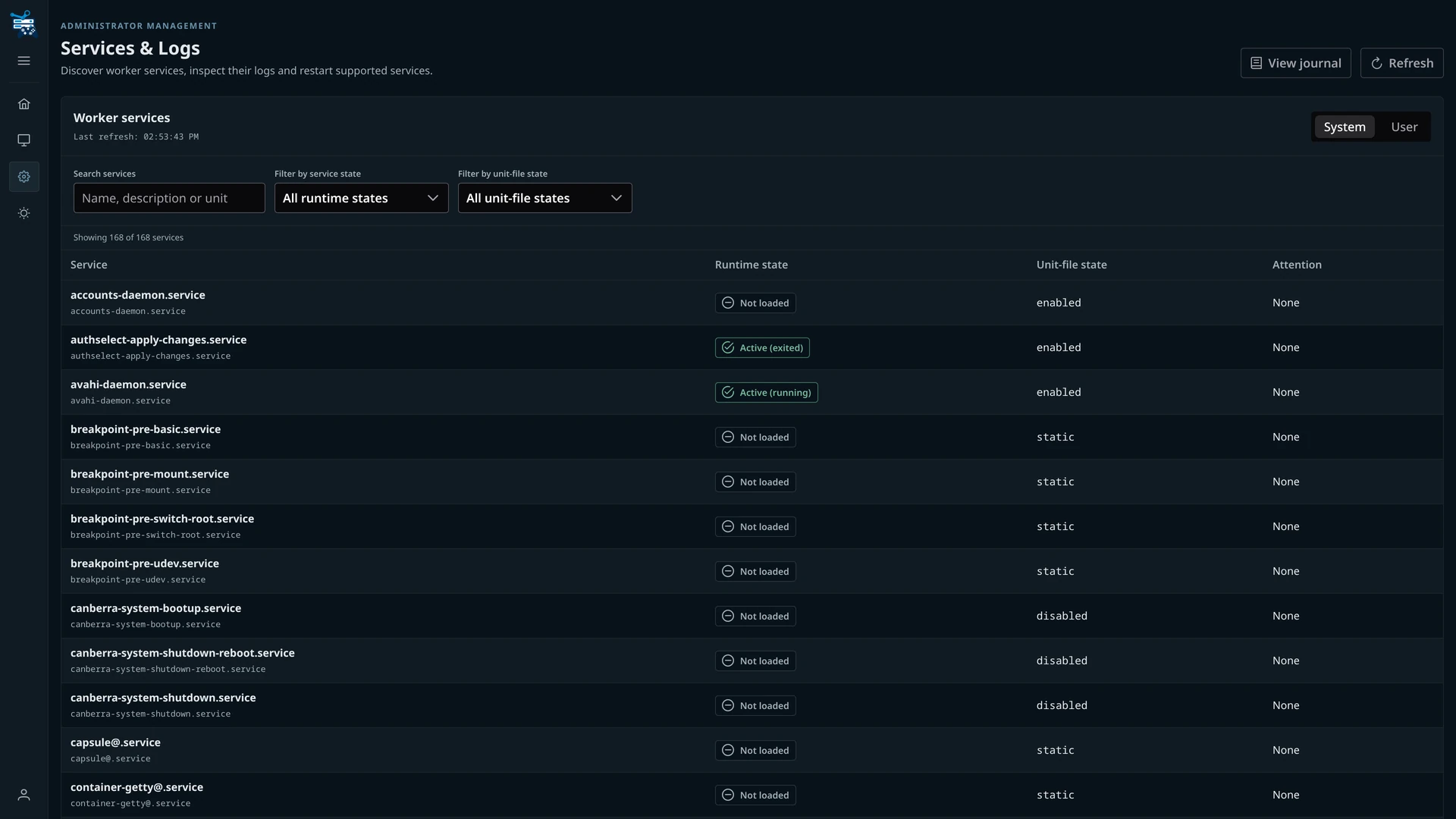
The web interface gives you one place to check the parts that keep your desktop, audio, input, Steam, and Moonlight streaming running. Open Services & Logs at https://<container-ip>:8483/services when something has stopped working or you need logs for a support request.
Check a service
The service list has two scopes:
- System contains the main Steam Headless services, including the KDE desktop, Steam, Sunshine, web streaming, and input support.
- User contains supporting desktop services, mainly PipeWire audio and the desktop portals used for screen capture.
Use the search box or state filter to find a service. Selecting it shows whether it is running, when its state last changed, how much memory and CPU time it has used, and its recent log messages.
The most useful entries are:
| What it controls | Scope | Service shown in the interface |
|---|---|---|
| Steam client and games | System | steam-headless-steam.service |
| Moonlight streaming | System | steam-headless-sunshine.service |
| Web interface and streaming | System | steam-headless-shui.service |
| KDE desktop and virtual display | System | steam-headless-plasma.service |
| Virtual controller discovery | System | steam-headless-shinputd.service |
| Desktop audio | User | pipewire.service, pipewire-pulse.service, and wireplumber.service |
| Desktop capture requests | User | xdg-desktop-portal.service and its KDE or GTK backend |
The interface shows a readable name such as Sunshine or Steam client above the longer service name. You normally do not need to remember the service names in this table.
Restart a supported service
A Restart service button appears only where the interface can safely offer one, and asks you to confirm before continuing.
| Restart | What to expect |
|---|---|
| Steam client | Steam and any running game close, then Steam starts again. |
| Sunshine | Moonlight sessions disconnect briefly and can reconnect after Sunshine starts. |
| PipeWire, PipeWire PulseAudio, or WirePlumber | Audio stops briefly while the desktop audio system is rebuilt. |
| Desktop portal services | Browser capture can disconnect briefly while the capture service restarts. |
The KDE desktop, web interface, authentication, and input services do not have a restart button. If one of these remains failed after checking its logs, restart the Steam Headless container.
Restarting Steam or the whole container closes running games. Save before using either recovery option.
Read logs
Each service page shows logs for that service. The Container journal combines messages from the whole container, which is useful when the cause is not obvious.
You can:
- choose how serious a message must be;
- view the current start or older retained starts;
- limit results to a time window;
- follow new messages live;
- download retained logs for a support request.
Start with Warning when investigating a problem. Change to Information if the warning does not explain what happened. Debug is very noisy and is usually useful only when a support helper asks for it.
Steam Headless keeps its container journal when /var/log/journal is mounted as shown in the deployment examples. The journal viewer hides recognised secrets from displayed and downloaded logs, but you should still glance through an attachment before posting it publicly.
Common symptoms
| Symptom | What to check |
|---|---|
| Moonlight cannot connect | Check Sunshine in the System scope, then see Sunshine and Moonlight. |
| Browser stream is black | Check Steam Headless UI, KDE Plasma desktop, and the desktop portal services, then see GPU and encoding. |
| Game audio is missing or crackling | Check or restart PipeWire and WirePlumber in the User scope, then see Input and audio. |
| Steam is frozen | Save through the game if possible, then restart Steam client in the System scope. |
| Several services are failed | Open the Container journal around the time the problem began, then see Troubleshooting. |
Next steps
- Pair Moonlight and manage streaming in Sunshine and Moonlight.
- Investigate resource limits in Work Capacity.
- Return to the Dashboard.